10 Docusaurus alternatives in 2026: pricing, fit, and tradeoffs
Compare ten Docusaurus alternatives by pricing, framework, API support, contributor workflow, and operating cost. Includes when staying with Docusaurus is the better choice.
- Written by
- Puneet Arora (opens in a new tab)
- Published on
- Read time
- 12 min

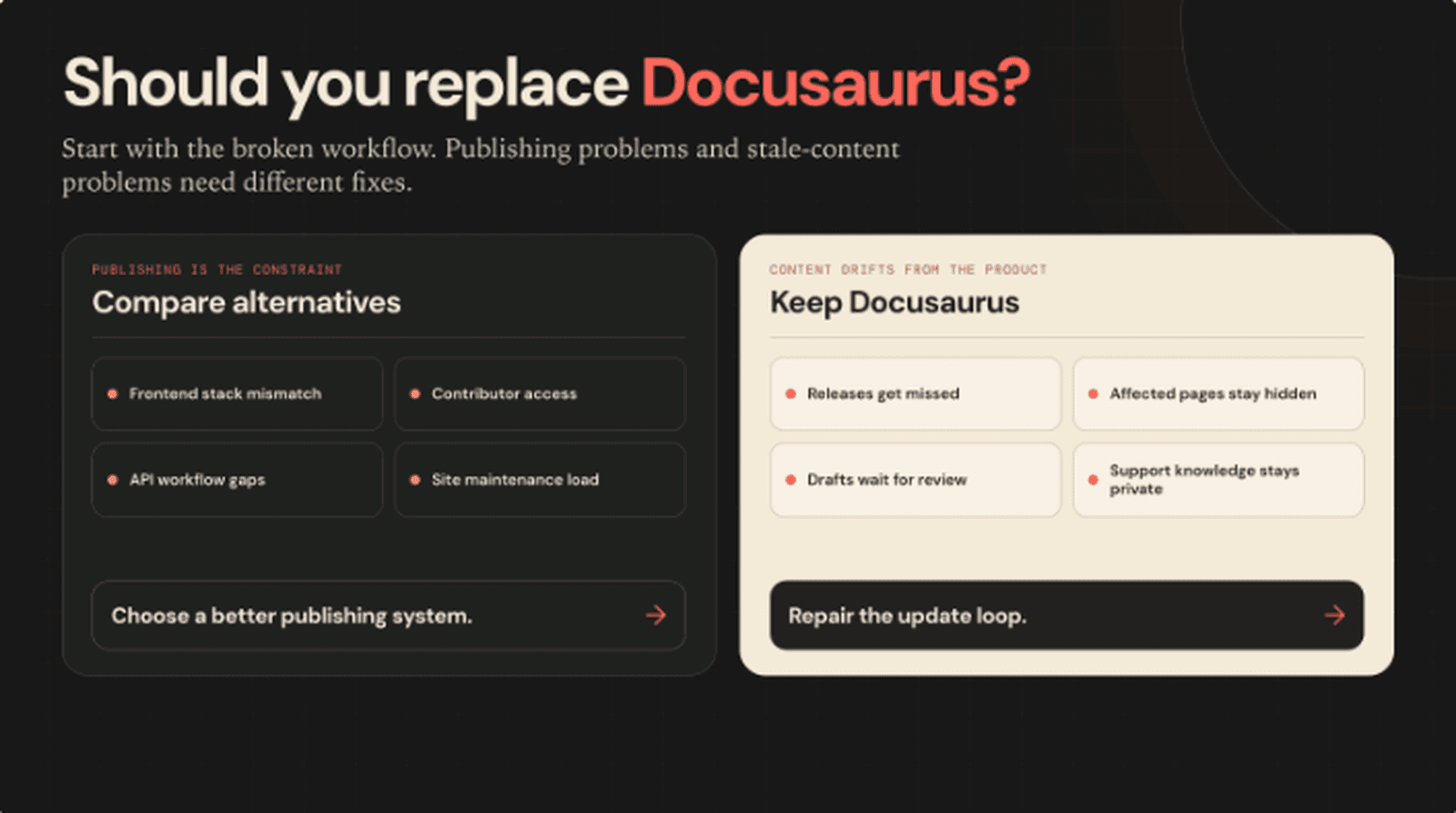
Compare platforms when the publishing workflow is broken. Keep Docusaurus when the missing update loop is the problem.
Docusaurus is free, mature, and a sensible choice for many developer teams. React users get Markdown and MDX authoring, versioning, localization, a plugin system, and static output they can host almost anywhere.
Teams usually compare alternatives for a specific reason. They may want a different frontend stack, less site maintenance, stronger API documentation, visual editing, managed access controls, or a workflow that includes people who do not work in Git.
If Docusaurus already publishes the right site and the real problem is stale content, a migration will not repair the update process. Keep Docusaurus and connect product changes to reviewed documentation updates.
The short answer
- Choose Starlight for a static-first Astro documentation stack.
- Choose Nextra when docs should live inside a Next.js application.
- Choose VitePress for a Vue and Vite-based static site.
- Choose MkDocs for a straightforward Python and Markdown workflow.
- Choose GitBook when technical and nontechnical contributors need one managed system.
- Choose Mintlify when a polished hosted experience and built-in AI workflows justify the price.
- Choose ReadMe when API reference, usage data, and the developer dashboard are central.
- Choose Fern when API documentation and SDK generation should share a source model.
- Choose Redocly when OpenAPI governance matters as much as publishing.
- Choose Potluck Docs when you want an open-source Astro and Starlight starting point with API reference, private docs, search, and AI-readable output already pre-wired.
- Stay with Docusaurus when React, Git, MDX, and code ownership already fit the team.
- Add EkLine when Docusaurus works but product changes are not becoming reviewed documentation updates.
Pricing snapshot
These are public list prices checked on September 23, 2026. Annual commitments, seats, usage, add-ons, support, migration, and custom contracts can change the total. Open-source software has no vendor subscription for its core software, but the buyer still owns hosting and engineering work.
| Product | Public starting price | Important qualifier | Best fit |
|---|---|---|---|
| Docusaurus | No vendor subscription | Team owns hosting, upgrades, search, and customization | React teams that want control |
| Starlight | No vendor subscription | Astro hosting and engineering remain buyer costs | Astro teams |
| Nextra | No vendor subscription | Next.js hosting and maintenance remain buyer costs | Next.js and MDX teams |
| VitePress | No vendor subscription | Current docs follow the VitePress 2 prerelease line | Vue and Vite teams |
| MkDocs | No vendor subscription | Themes and plugins can add maintenance work | Python and Markdown teams |
| GitBook | Free; Premium $65/site/month annually | Paid plans also charge by user | Mixed contributor teams |
| Mintlify | Starter $0; Pro $450/month annually | Pro is $540 month to month; AI usage is metered | Managed developer docs |
| ReadMe | Starter $0; Pro $250/month annually | Ask AI is another $150/month | API-centered developer hubs |
| Fern | Free $0; Enterprise custom | Multiple sites and enterprise controls require a quote | API docs and SDKs |
| Redocly | Pro from $10/seat/month | Products, projects, routes, and plan level affect the total | OpenAPI governance |
| Potluck Docs | No vendor subscription | MIT-licensed Astro and Starlight template; your team owns content, deployment, upgrades, and any sign-in integration | Astro teams that want API reference, private docs, and AI-readable output pre-wired |
How we chose these alternatives
This is a vendor-written comparison. EkLine works with Docusaurus and other documentation systems, so we have an interest in the decision. Each option had to replace a meaningful part of Docusaurus's publishing job for a developer-facing company.
We compared contributor workflow, API-documentation depth, public pricing, framework fit, and the operational work the buyer inherits. General AI writing tools and internal wikis were excluded because they do not provide a credible public developer-documentation path.
1. Starlight: best for Astro teams
Starlight is an open-source documentation framework built on Astro. It supports Markdown and MDX, documentation navigation, internationalization, and Pagefind search in a static-first site.
Who it is for: Teams that prefer Astro's component model and want a focused framework rather than a hosted platform.
Where it fits: Starlight is a cleaner choice when Astro is already the frontend standard or the team wants less client-side JavaScript by default.
Tradeoff: The team still owns deployment, upgrades, customization, and any server-side behavior. A migration also replaces React conventions with Astro's content collections and integration model.
2. Nextra: best for Next.js applications
Nextra turns Markdown and MDX into content inside a Next.js application. Its current major version uses the App Router, so docs can share React components, layouts, and infrastructure with the product site.
Who it is for: Next.js teams that want product pages and documentation in one application framework.
Where it fits: Nextra removes the boundary between a separate docs generator and an existing Next.js codebase.
Tradeoff: The team inherits Next.js upgrades, runtime choices, and App Router conventions. Static exports are portable. Middleware, server rendering, and incremental regeneration require compatible infrastructure.
3. VitePress: best for Vue and Vite teams
VitePress is a Vue-powered static site generator for content-focused sites. Markdown files become routes, while Vue components and themes provide customization.
Who it is for: Vue teams and Vite-based repositories that want a compact documentation toolchain.
Where it fits: The framework uses the skills and components a Vue organization already has.
Tradeoff: The current official documentation follows the VitePress 2 prerelease line. Teams should decide whether to adopt it or remain on the older stable version before planning a migration.
4. MkDocs: best for a simple Markdown workflow
MkDocs is a Python-based static documentation generator configured mainly through mkdocs.yml. It includes a local development server and builds ordinary static HTML.
Who it is for: Python-oriented teams and projects that value a small conceptual surface.
Where it fits: Authors can work in Markdown without React, JSX, or a Node application framework.
Tradeoff: Richer navigation, design, versioning, and interactive components often depend on third-party themes and plugins. A large plugin stack creates its own support and upgrade work.
5. GitBook: best for cross-functional contribution
GitBook combines Git synchronization with a managed web editor. Its Free plan covers one user. Premium starts at $65 per site per month with annual billing, plus user charges. Monthly billing raises both prices.
Who it is for: Companies where engineers, product managers, support staff, and writers all contribute.
Where it fits: GitBook reduces site infrastructure work and gives nontechnical contributors a visual authoring path.
Tradeoff: Pricing scales by site and collaborator. Advanced access controls and AI features sit on higher tiers, so the site price is not the complete bill.
6. Mintlify: best for a polished managed experience
Mintlify combines Git and web editing with hosted developer-documentation features. Starter is $0. Pro is $450 per month with annual billing or $540 month to month. Pro includes unlimited editor seats and 10,000 AI credits each month.
Who it is for: Teams that want managed publishing, interactive API experiences, authentication, and built-in AI workflows.
Where it fits: The vendor owns more of the publishing experience, reducing the work needed for themes, search, previews, and editor tooling.
Tradeoff: The first paid tier is substantial and additional AI usage costs more. A team that mainly needs static guides may pay for a broader package than it uses.
7. ReadMe: best for an API-centered developer hub
ReadMe's Starter plan is $0. Pro costs $250 per month billed annually and includes five admins, reviews, branching, reusable content, metrics, and customization. Ask AI is listed at another $150 per month.
Who it is for: API companies that want documentation, interactive reference, API usage data, and a developer dashboard together.
Where it fits: The evaluation can center on API adoption and developer behavior rather than the documentation site alone.
Tradeoff: Pro remains limited to one project. Extra admins, AI, and longer API-log retention add recurring cost.
8. Fern: best for docs and SDK generation together
Fern's Docs Free plan includes one site, up to ten team members, guides, API references, an API explorer, and a monthly AI allowance. Multiple sites, authentication, deeper customization, self-hosting, and governance move the buyer to custom Enterprise pricing.
Who it is for: API-first companies that want docs and generated SDKs to share an API definition and workflow.
Where it fits: Fern addresses a broader API production job than a general static site generator.
Tradeoff: There is no publicly priced middle tier between Free and Enterprise. The comparison becomes quote-based once the team needs enterprise controls or several documentation properties.
9. Redocly: best for OpenAPI governance
Redocly combines API references, general documentation, a catalog, and a managed Git workflow. One Pro product starts at $10 per seat per month. The Realm bundle starts at $28 per seat monthly, with lower monthly equivalents under annual billing.
Who it is for: Platform and API teams that treat OpenAPI descriptions as governed product artifacts.
Where it fits: Redocly connects documentation with linting, API catalogs, previews, access controls, and governance.
Tradeoff: The total depends on seats, products, projects, and served routes. SSO, RBAC, advanced search, analytics, and MCP support require Enterprise.
10. Potluck Docs: best for an Astro and Starlight starting point
Potluck Docs is EkLine's MIT-licensed documentation template for Astro and Starlight. It gives code-first teams a working docs stack they can inspect, fork, and run themselves.
The template includes Markdown and MDX content, Tailwind v4 theming, Pagefind search, generated sitemaps and llms.txt files, a Markdown version of every page, and interactive OpenAPI references rendered with a built-in request client. An optional logged-in tier serves private and organization-scoped docs behind a token signed by your own product, and protected pages stay out of the anonymous static build.
Who it is for: Engineering-led teams that already prefer Astro, Markdown, Git, and code review, and want API reference, authenticated docs, or AI-readable output without assembling each piece by hand.
Where it fits: Potluck Docs is a stronger starting point than a bare Starlight project when those foundations would otherwise be separate implementation projects. Because it is Git-backed, it is also a clean base for connecting product changes to reviewed documentation updates.
Tradeoff: The template has no CMS, bundled content, or managed service. Your team owns content, deployment, upgrades, and the sign-in integration, and the logged-in tier needs server-side hosting. You can inspect the live preview and its documentation at potluck.ekline.io before deciding.
When to stay with Docusaurus
Stay with Docusaurus when:
- The team works comfortably in React, Git, Markdown, and MDX.
- Built-in versioning or localization matters.
- The site needs custom React components or plugin-level control.
- Static deployment fits the infrastructure model.
- Someone owns upgrades, search, accessibility, and theme maintenance.
- Migration would cost more than the operating problem it is meant to solve.
Docusaurus has no platform subscription, and it is fine for many teams. Its cost appears in engineering time, hosting, search choices, and ongoing ownership. Staying is often the best decision when teams understand and fund those responsibilities.
A platform change makes sense when the framework, authoring experience, API workflow, or managed-service requirements are wrong. Stale content is a different problem.
Keep Docusaurus and repair the maintenance workflow
EkLine supports the Markdown and MDX files used by Docusaurus, so teams can keep the existing site and repository.
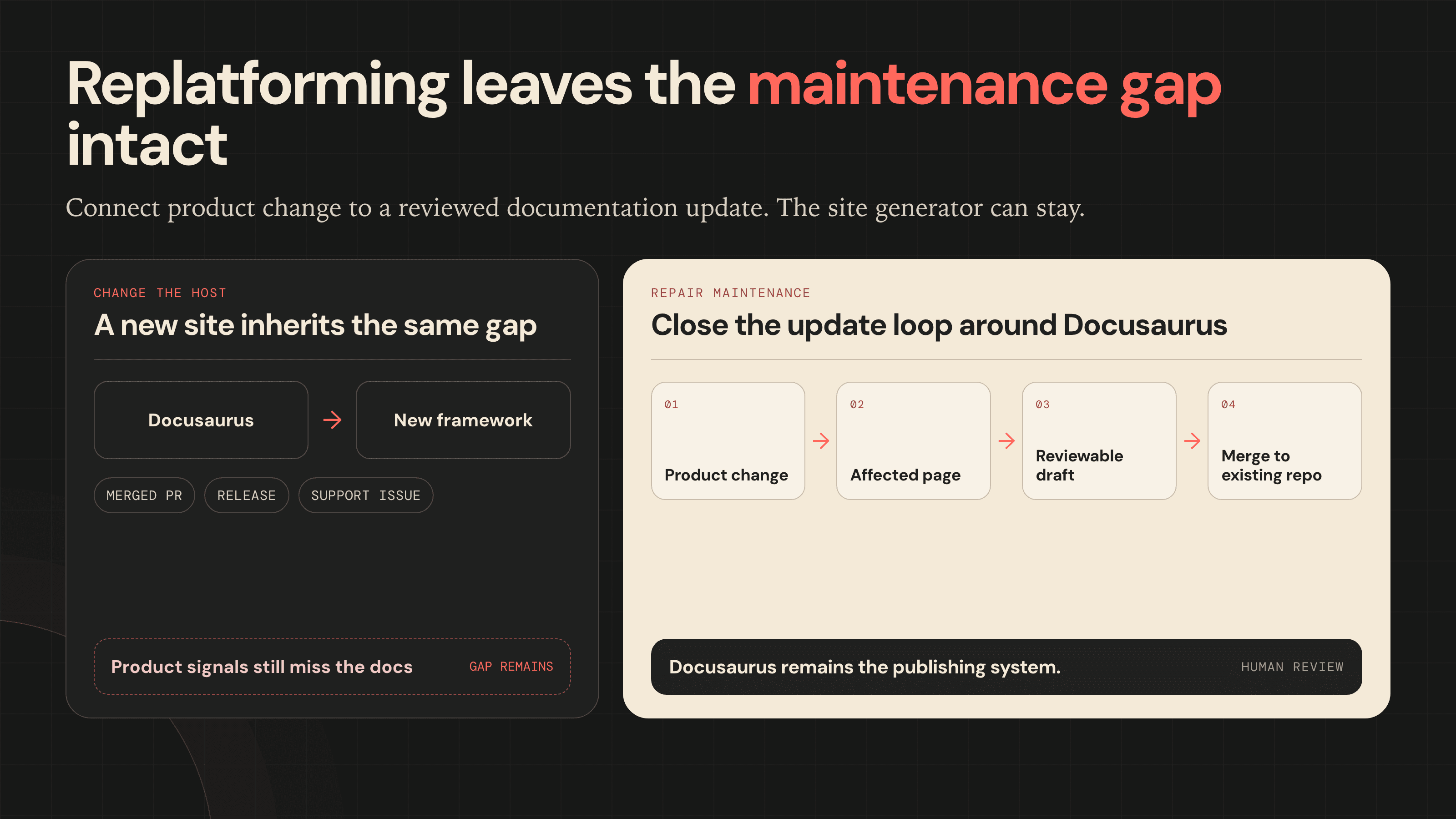
EkLine can analyze merged pull requests for documentation impact and run scheduled documentation audits. When an update is needed, it generates a reviewable change with source context, opens or updates an ekline/... branch, and routes the work through the team's normal pull-request process.
Before merge, Docs Reviewer can check terminology, style, grammar, structure, and links in CI. It can post inline comments and block the merge when configured thresholds are reached.
Docusaurus remains the publishing system. EkLine adds detection, source-grounded drafting, review, and quality control. Human reviewers still decide what ships.
ContextQA reports merging 79 of 81 EkLine proposals and bringing 90 of 113 documentation pages up to date. P0 Security reports more than 150 engineering hours reclaimed over six months and 15 integration guides shipped without adding documentation headcount.
Recommendation by buying situation
| Your trigger | Start here |
|---|---|
| You want Astro instead of React | Starlight |
| Docs belong inside Next.js | Nextra |
| The organization standardizes on Vue | VitePress |
| You want a small Python and Markdown toolchain | MkDocs |
| Nontechnical contributors struggle with Git | GitBook |
| You want managed developer docs | Mintlify |
| API adoption is the main goal | ReadMe or Fern |
| OpenAPI governance is the problem | Redocly |
| You want an open-source Astro and Starlight starting point | Potluck Docs |
| The site works but content drifts | Keep Docusaurus and add EkLine |
FAQ
No. Docusaurus hosts and publishes the documentation. EkLine works with the existing Markdown and MDX repository, proposes source-grounded updates, routes them through review, and checks quality before merge.
Starlight, Nextra, VitePress, and MkDocs require no vendor subscription for the core software. Potluck Docs, EkLine's open-source Astro and Starlight template, is another no-subscription option that pre-wires API reference, private docs, search, and AI-readable output. These tools still require hosting and engineering ownership.
GitBook, Mintlify, and ReadMe publish free entry plans. Fern also has a free plan, but the four products solve different jobs and use different paid packaging.
Starlight, Nextra, VitePress, and MkDocs are the closest framework replacements. GitBook and Mintlify replace more internal site ownership. ReadMe, Fern, and Redocly are stronger comparisons when API workflows drive the purchase.
Measure the work first. Separate framework maintenance from content maintenance. A new platform can reduce hosting, theming, or contributor friction. It does not detect every release that changes product behavior or find every page that should be updated.
A practical next step
Take one recent release and one support issue your Docusaurus docs failed to answer. Trace how each should have become a documentation update. If nobody detected the change, found the affected page, or routed a draft to the right reviewer, changing the site generator leaves the failure in place.
See how EkLine keeps existing documentation aligned with product changes.
Sources
Public pricing and product details checked September 23, 2026: